The world, as surveyed
Overworld, Nether and End, redrawn as the world is explored Open the full map →
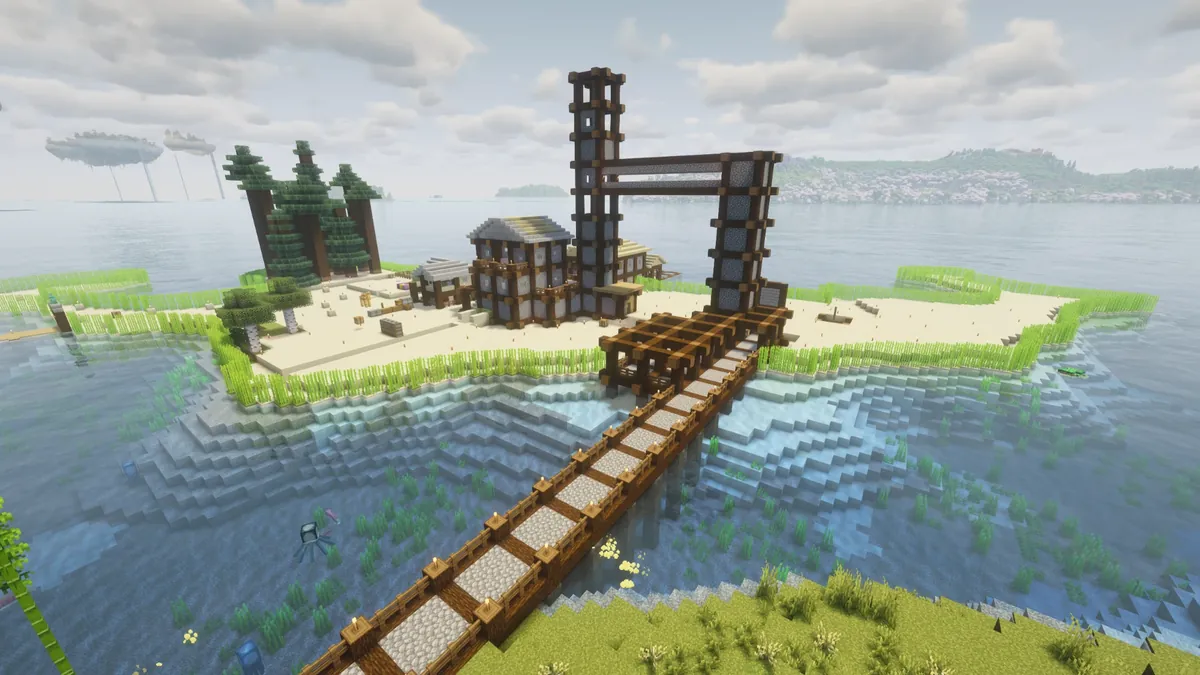
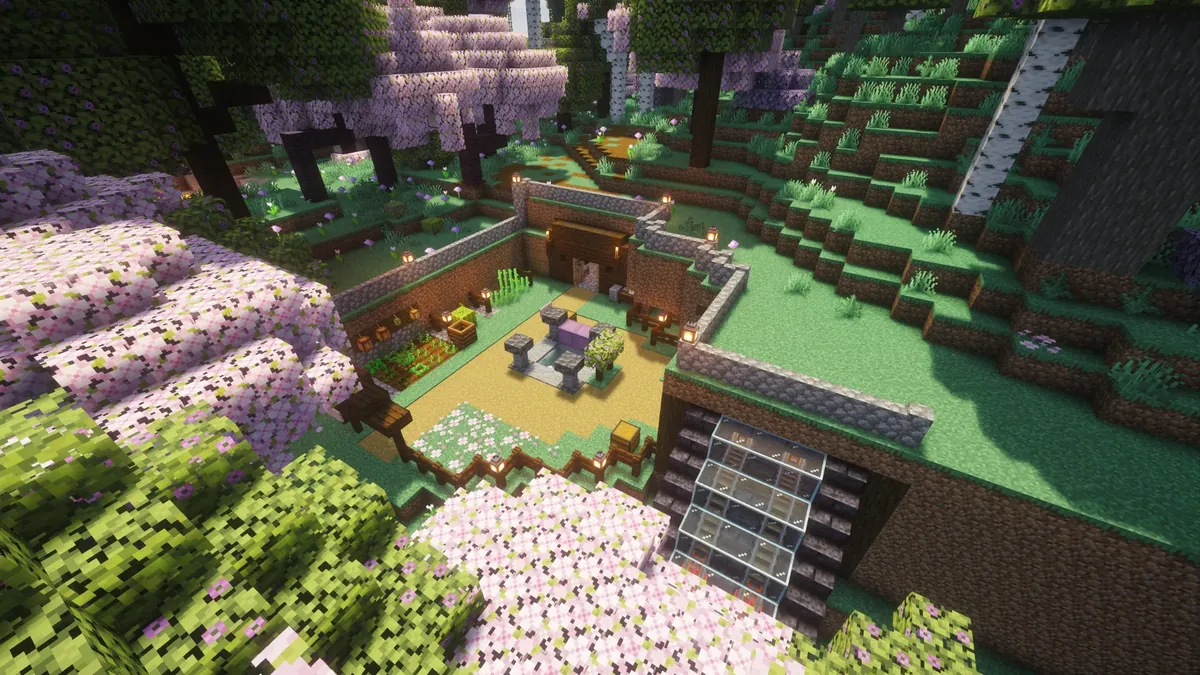
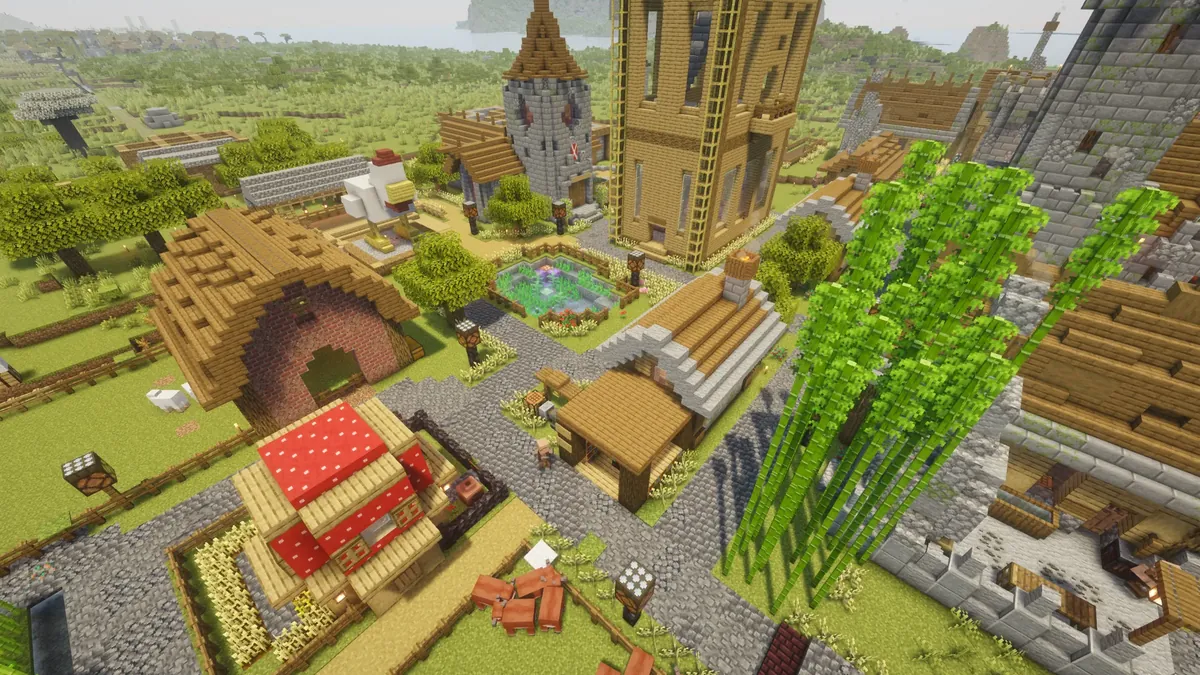
Built by the people who live here
TalkLive chat from the world — talk to whoever’s on.
The hall is quiet.
Log in to talk to whoever is in the world right now.
Request entryAsk to be let in.
Pierithas is invite-only — a small survival world run for friends and friends of friends. Leave your name below and we'll add you once it's approved. Already applied? Check status tells you where it stands.
We collect your email only to tell you the outcome of this request, and later for password resets and case verdicts — see our Privacy page. It is the only way we have to reach you. Watch for it, and do check your spam folder. Bedrock players: if we can't find your gamertag, try joining once and we'll pick you up from there.
What you can do hereCommands and the ways this world differs from vanilla.
Getting around
- /sethome nameSet a home where you are standing.5 homes
- /home [name]Travel to one of your homes.5 min
- /homesList the homes you have set.
- /delhome nameRemove a home you no longer want.
- /renamehomeRename a home:
/renamehome old new. - /tpa playerAsk to teleport to someone. They have 60 seconds to accept.5 min
- /tpahere playerAsk someone to teleport to you.5 min
- /tpacceptAccept a request someone sent you.
- /tpadenyTurn a request down.
- /tpacancelWithdraw a request you sent.
- /tpareturnGo back to where you were before your last teleport. Also
/return. - /rtpTeleport to a random spot in the wild to settle, well away from spawn.≥7,500 blocks
The five minute wait on /home and /tpa is a real
cooldown, and it survives logging out — quitting and rejoining will not
clear it.
Nations — claim land on the map
Mark out an area and it appears on the live map (Plate I) as a coloured region with your name on it, visible to everyone — logged in or not. If you would rather read the map without the borders on it, there is a switch for that under My account. It is purely visual either way — a nation does not stop anyone building; it just shows whose patch is whose. Walk the border of your land and drop a corner at each turn, in order, then name it. You get one nation each.
- /nation pointDrop a corner where you stand. Walk your border and repeat at each turn.
- /nation claim nameFinish and put it on the map.3+ corners
- /nation color #hexPick your colour. Each nation's colour is its own — no two share one.
- /nation pointsRe-show your dropped corners;
/nation undoremoves the last one. - /nation expandMark corners that overlap your own nation, then run this to grow it into one shape.
- /nation shrinkMark corners over your OWN land, then run this to give that part up.
- /nation contest startFirst mark the PART of someone's land you want with
/nation point, then run this to begin a timed siege — stand inside and hold (the bigger the grab, the longer the hold). They and their citizens get an alert to come defend; leave, log off or die and it fails with a cooldown. Win and that slice is yours.no size cap - /nation negotiate 5–10Mid-siege, pause the timer that many minutes so both sides can talk it out. Once per siege; the clock freezes and resumes exactly where it stopped.
/nation contest cancelcalls the siege off entirely (counts as a loss — same cooldown as failing). - /nation transfer playerHand your nation to someone (founder only). They take it with
/nation accept(or/nation decline). - /nation invite playerInvite someone to your nation — they choose to
/nation acceptor/nation decline./nation leaveto leave one you're in;/nation kickremoves a citizen;/nation rolesshows the roster. - /nation role grant role playerGive a citizen a rank on top of Citizen: co-founder (your equal, minus renaming/transferring/deleting), area manager (claim & contest land for the nation), guard (start contests, rush to defend) or diplomat (negotiate on your behalf).
/nation role revoketakes it back. Founder & co-founders assign; only the founder makes co-founders. - /nation leave [name]Abandon a nation you belong to (as a citizen or guest). Add the name if you're in more than one. Founders can't leave — they abolish instead.
- /nation deleteAbolish your whole nation — it's wiped off the map for good. Founder only (alias
/nation unclaim). This can't be undone. - /nation rename nameRename yours (founder only).
/nation listshows every nation.
One home nation each. You belong to a single home nation — the one you found, or the first you're invited into. Join another on top and you're a guest there: you appear on its roster but hold no roles and no land powers, and every /nation command you run acts on your home nation.
You cannot freely claim over someone else's land — but you can contest it: mark the slice you want, stand your ground and hold it while they (and their citizens) get the alert to rush over and fight or talk it out. Hold it long enough and that slice is yours. There is no size cap — the only limit on an empire is whether the neighbours let it stand. Claiming over your own land still just extends it.
Abandoned nations. Normally the owner or one of their citizens has to be online for you to contest them at all. The exception is a nation nobody has logged into for 7 days — every member, founder included — which can be contested with nobody there to defend, so dead claims do not lock up the map forever. A single member seen inside the week protects the whole nation, and you still have to mark the slice, border it from your own land and hold the full timer.
Contesting exists thanks entirely to .frekkeloeres, whose enthusiastic annexation of roughly 110% of spawn left us no choice. Fight back accordingly.
Animals and pets
- /parkPark the mount you are riding or looking at, so it stays exactly where you left it. Also
/stay.
Horses, camels and happy ghasts come with you through teleports instead of being left behind. Tamed pets follow you more reliably, and are protected from the usual accidents.
Enchanting — a table starts you off, and the level grows
An enchanting table here gives you up to level III of whatever it rolled, never the finished article. A cheap seat still hands over level I; a better one keeps more of what it rolled. The level climbs as you use the item: anything that costs durability — mining, fighting, taking a hit — adds progress to every enchantment on that item.
- /whetstoneHold something enchanted and run this to see each enchantment, its progress and how much is left. The quickest way to know whether a tool is actually levelling.
- Tooltip lineEnchanted gear also carries its progress in the item's own tooltip, as
▸ Sharpness 0 / 646. It appears from the first point of use and always matches what is on the item. - Anvils are safeRepairing and renaming keep your progress. A grindstone still strips an enchantment, and that enchantment's progress goes with it.
- Two per itemArmour takes Protection plus one of blast, projectile or fire protection; a weapon takes Sharpness plus one of smite or bane of arthropods. Mending, unbreaking, efficiency, fortune and looting stack alongside as usual.
- Name it, keep itAnything you have bothered to name slowly mends itself — about a point of durability a minute while you are online and carrying it. Slow on purpose: it is a safety net, not a replacement for Mending. Nothing mends while it sits in a chest.
Each level costs clearly more than the one before, so the first is quick and the last is a haul. The whole curve was eased by roughly three times in October 2026 — it was simply too steep — with most of the cut taken off the top level.
When you die
- /graveTells you what your allay is holding and exactly where it waits, and collects anything that has been posted to you. Also
/da.
Everything you were carrying goes to a glowing allay at the
spot you fell. It cannot be killed, never despawns and never wanders, and
only you can collect from it. You respawn still wearing your
armour and holding your tools — surviving the death costs that gear
15% of its durability — and the allay keeps
half the experience you died with. Forget about it and it
waits 7 days, then posts your things to you instead, handed
over next time you log in. Two exceptions: /hardcore players
still lose everything, and event arenas are left as they were.
Other people
- /partyTeam up with anyone, in your nation or not, up to 8. The leader invites with
/party invite, others/party accept; also/party leave,/party kick,/party disband,/party list. Parties reset when the server restarts. - /ignore playerStop seeing someone's chat.
/unignoreundoes it.
The locator bar above your hotbar is private: in a nation it shows your nation-mates, in a party it shows your party instead, and if you are in neither you have no bar at all. Sneak to drop off it briefly.
Playing differently
- /hardcore [on|off]Opt into hardcore, or run it bare to see where you stand. It's a soft hardcore — read on.
- /dieKill yourself, for when that is the funniest option available. Allowed in hardcore too.
- /voicechatSettings for proximity voice. Needs the Simple Voice Chat mod; without it you simply have no voice, and everything else works normally.optional
Hardcore here will not wipe your world. Instead you lose one heart of maximum health each time you die. Reach zero and you are locked out of the server for a few hours, and out of hardcore for two weeks. You can win a heart back with an enchanted golden apple (below). Switching on commits you for a week before you can switch off — no bailing the moment it gets tense.
How this world differs from vanilla
- VeinmineA real enchantment you can pull from an enchanting table. A tool carrying it mines a whole vein at once; an ordinary tool does not.
- Felling treesChop the bottom log with an axe and the rest of the tree comes down with it. Leaves decay straight away.
- DisenchantingUse an anvil to pull an enchantment back off a tool or piece of armour.
- Enchanted golden applesCraftable again — an apple surrounded by eight gold blocks. In hardcore, eating one also restores a lost heart, up to your usual ten.
- Mob farmsMobs drop experience even when nothing killed them by hand, so automatic farms actually pay out. Villagers, traders, bats and golems give none.
- NetheriteA durability upgrade, not a power one. Its armour and damage match diamond on purpose, so the gear you already have stays worth wearing.
- The EndOpen. The dragon has been tuned for a group rather than a solo fight, and elytra are allowed.
- CreepersStill dangerous to you. Far less dangerous to what you have built.
- BedrockConsole, mobile and Windows players can join the same world. Voice chat is the one thing they cannot use.
- MinecartsFaster than vanilla — 10 blocks a second instead of 8. That is the quickest setting that still holds a corner and the foot of a slope; above it carts leave the rails.
- Cargo carts travel aloneSend a chest or furnace minecart off down a rail line and it keeps going with nobody aboard and nobody nearby — normally a cart stops dead the moment it leaves the part of the world anyone is loading, and waits there until someone walks out to it. It carries its own loading window with it instead, so a supply line between nations actually runs, and it picks the trip back up after a server restart. Hopper carts are left out on purpose: they circle farm loops forever, and that would keep a patch of world awake under every farm. A cart with someone riding in it never needed this. A cart out on a delivery also holds a steady 10 blocks a second however heavily it is loaded — vanilla slows a cargo cart down the more it carries, to a dead stop in about 25 blocks when full, so a line would otherwise need powered rails every few blocks. Yours only needs them to start a cart off. Carts parked at a station stay parked.
- SleepingNight passes faster the more of you are in bed, so you do not need everyone asleep — one person sleeping already shortens the night, and a few make it brief.
- Chest sortingGone. The plugin had no 26.3 release, so it was removed rather than left to break — nothing was lost from any chest. Say so if you miss it and we will look for a replacement.
Rules, warnings & your standing
- WarningsStaff can warn you for breaking the rules (e.g. taking other players' things). Three active warnings triggers an automatic 6-hour ban. Warnings fade after 90 days.
- RequestsStaff may send you a request with a deadline — such as returning items you took. It shows on your profile, and lands in your inbox if you've added an email.
- Your standingOpen My account to see your own warnings, any open requests, and your case. Nothing listed means you're all clear.
- Explain yourselfEvery warning-ban and every request opens a case — a private thread with staff. If we got something wrong, or it's explainable, say so there — and attach screenshots as evidence.
- Report a playerSeen griefing or stealing? Hit Report in the top bar. Attach a screenshot and/or a link to video evidence right on the form, then add more from the case afterwards. It opens a private case only you and staff can see — the player you report is never told who reported them. Keep it honest: made-up reports can be actioned too.
We log who opens and takes from containers, so "who took my stuff" is answerable. Play fair and none of this ever touches you.
How this place worksShort version: nothing is locked, everything is recorded, and we trust you.
There is no claim protection here. No locked chests, no anti-grief plugin, no region that stops someone walking into your base and helping themselves. That is deliberate. The whitelist is the protection — everyone inside was vouched for and let in by hand, and we would rather run a world where that is enough.
It only stays enough if it is true, so the second half of the arrangement is this: the server keeps a record of what happens, and staff can read it.
What is recorded
- BlocksEvery block placed and every block broken, with who did it, where, and when.
- Doors & buttonsEvery door, trapdoor, button, lever and gate used — so "who came in" is answerable.
- ContainersEvery item taken out of or put into a chest, barrel, shulker or furnace. This is the one that settles "who took my stuff".
- ItemsDropped, picked up, thrown, traded and destroyed items.
- The restDeaths, signs edited, item frames, leads, boats and minecarts, animals killed or moved.
- How long14 days. After that it is deleted automatically. Staff can also roll any of it back — a griefed build can usually be put back exactly as it was.
- What is notYour chat is shown live on this page and is not kept as a record, and commands you type are not logged at all.
None of this is watched in real time. Nobody is reading your movements for fun — it gets looked at when somebody reports something.
The rules
- 1 · No theft or griefingIf you did not put it there, it is not yours — chests, item frames, animals, crops, the iron golem someone built a farm around. Ask; people here lend things readily. And nothing deliberate: no destruction, no traps for other players, no lava, no flooding, no killing someone's animals. There is no version of that which is a joke.
- 2 · Nations are landA nation on the map marks land somebody has claimed. It does not block you from building there — ask the owner first anyway.
- 3 · Play it straightNo hacked clients, x-ray, or duplication. Finding a bug is fine and worth telling us about; farming it is not.
- 4 · Be decentNo harassment, no slurs, no dragging an argument through public chat. Disagree, then let it go.
- 5 · Mind the framesEnormous farms and redstone cost everyone performance. Build what you like, but staff may ask you to change a design that is hurting the server.
- 6 · Your accountIt is yours. Do not hand it to somebody who has not been let in — whatever they do arrives under your name.
- 7 · Report, do not retaliateIf something happens to you, use Report at the top of this page. It opens a private case only you and staff can see. Taking it back yourself makes two problems.
What happens if someone breaks them
- A warningMost things end here. Three active warnings is an automatic 6-hour ban; warnings fade after 90 days.
- A rollbackWhat was taken or broken goes back where it was, from the record.
- RemovalDeliberate griefing or theft ends the invitation. This is a small world and it only works on trust.
- Your side of itEvery warning and every ban opens a case — a private thread with staff. If we got it wrong, say so there and attach what you have. We have been wrong before.
Patch notesMajor changes to the world — newest first.
A better seat at the enchanting table, and heads
- Change The enchanting table can hand you more than level I. It goes up to III now. A cheap seat still gives you I — what changed is that a good one, with the bookshelves and the price to match, keeps more of what it rolled. Bookshelves now buy depth as well as deciding which enchantments you are offered. Everything still climbs with use exactly as before, and an enchantment whose own limit is lower than III — knockback, say — still stops at its own limit.
- New You drop your head where you die. It lands on the ground beside the courier rather than inside its stash, so it is there for whoever is standing over you — or for you, when you walk back for your things. Suggested by Doomed-Core, who wanted them collectable and useful as markers.
A Discord, and a gate that tells you what it is doing
- New Pierithas has its own Discord. Rules, a place to ask at the gate, a hall for members, and a room per nation. The link is the Discord button at the top of this page.
- New Link your Discord to your account here. Open My account, press Get a link code, then run
/linkin the Discord and paste it. Your roles there follow your standing here — and if you are still waiting on entry, the moment you are let in the roles arrive by themselves. - New Nations get their own private room in the Discord. Greenmouth and the Nation of Mambo have one each: a founder and officers run it, and we hand out who can see it. Ask if your nation wants one.
- Change The server list entry is alive now. It shows what the sky is doing and how many people are in the world, says when the gate is shut for a restart, and has something to say when the world is empty.
- Change The entry form asks better questions. It asked where you found us twice; now it asks once, plus whether you have played on servers like this before. Age is a tick rather than a number — we never checked a birthday and storing one we had not checked was worse than not asking.
- Change The public list of members is gone. It showed everyone's name to anyone who loaded the page, which was never anybody's choice to make.
- Change Tidier links.
pierithas.com/storerather than/store.html. Every old link still works. - Fix The account panel would not take a click. It dimmed itself and shut when you pressed anything in it. Fixed, along with Manage in the staff panel, which blurred the page and opened nothing.
- Change Quieter mobs and redstone further out. Simulation distance is 8 chunks instead of 12, so the server spends its time on what is near you. What you can see is unchanged — view distance is still 12. The server also got more memory to work with.
A new face for the place
- Change The site has been rebuilt. Stone, iron and lantern light instead of the old green survey plates, and photographs of the world doing the talking. Everything that was here is still here — the map, the chat, your account, the entry form, the field guide, the patch notes, the pack.
- New Pierithas has a coat of arms. A helm in a gate, drawn as an engraving. You will see it as the tab icon, at the head of our emails and stamped at the foot of the page.
- Change The ranks have medieval names now. Pond Keeper, Lilypad Guard, Ripple Watch and Tadpole are gone; they are Marshal, Castellan, Serjeant and Freeman. Nobody's rank itself changed — only what it is called.
- Kept Nothing you use has moved. Same address, same login, same links. If you had the site open, reload it once.
- Fix A line of the chat heading was printing raw code (
\u2014) instead of a dash. Fixed, and the whole site swept for the same mistake.
New name, new address: Pierithas
- Change The server is now Pierithas, at pierithas.com. The last name and domain were put up in a hurry when the old one had to go, and this is the one we are keeping. Everything is the same world, the same ranks and the same accounts — only the name and the address changed.
- Change Join at mc.pierithas.com. Update the entry in your server list, or re-import the client pack and it is already set. The old address keeps working for now, but it will not forever.
- Kept Your old links still work. Anything you bookmarked on the old domain forwards to the same page here, so nothing you saved is lost.
- Heads up Your waypoints and your map will look empty — they are not gone. Xaero’s minimap and world map file everything under the server address, so a new address means a fresh, empty set. Your old one is still on your disk: in your Minecraft folder, open xaero/minimap and xaero/worldmap and rename the folder Multiplayer_mc.succfuccfederation.nl to Multiplayer_mc.pierithas.com in each. Everything comes straight back.
- Change The client pack is renamed too. It is now Pierithas-Pack-3.1.0, same contents as 3.0.0 with the new name and address built in. Older downloads keep working.
Freight that keeps rolling when nobody is watching
- New Cargo minecarts now travel the whole way on their own. Point a chest or furnace minecart down a rail line and it keeps going with nobody aboard and nobody near it, so a supply run between nations arrives instead of stalling halfway. Until now a cart stopped the instant it left the part of the world someone was loading — it was never lost, just parked out there until a player walked to it, which is why long lines never worked. A cart in transit now brings its loading window along with it, and only while it is actually moving.
- New A restart no longer strands a delivery. If the server goes down while carts are out on the line, each one is remembered and sent on its way again on the way back up.
- Change Hopper carts are deliberately left out. They sit on permanent loops under collection farms, so including them would keep a patch of the world awake under every farm for nothing. Chest and furnace carts cover delivery — say so if you have a line that genuinely needs hopper carts and we will look at it.
- New Loaded carts now hold their speed the whole way. A chest cart carrying cargo used to slow to a stop after about 25 blocks of flat track — and the fuller it was, the sooner it stopped, because vanilla drags a cargo cart harder the more it is carrying. A cart out on a delivery now keeps a steady 10 blocks a second instead, so a line only needs powered rails to get a cart moving, not every few blocks for the whole run. Carts standing at a station are left alone, and a cart that comes off the rails still rolls to a stop.
- Kept Riding in a cart is unchanged. A cart with someone in it already travels inside the world you are loading. Top speed is still 10 blocks a second.
The distance is already there when you look at it
- New Far terrain now comes from the server. The client pack has swapped Distant Horizons for Voxy, and the server sends you the landscape instead of you having to go and see it first. Fly somewhere you have never been and the hills are already drawn. Distant Horizons could only ever show you places you had personally visited, and its server-side version has no 26.3 build.
- Change Bliss has left the pack. It has no Voxy support at all, so it would have shown you nothing in the distance. The shader list is now Complementary Unbound and BSL, both tuned rather than left on defaults, and both still start switched off.
- Change The first-person body starts switched off. It is still installed and still works — press F6 whenever you want it, and it stays however you leave it. It was getting in the way often enough that off is the better place to begin.
- Kept The old pack is still downloadable. If you prefer Distant Horizons, it is linked under the main download as 2.5.2. It will not be updated again, but nothing in it stops working. One thing to know if you switch: the terrain Distant Horizons generated for you is its own, and Voxy starts fresh — the server fills it back in as you look around, which takes moments rather than hours.
- New The minimal pack is here for weaker machines — 19 mods, mostly the ones that make Minecraft run faster. It keeps the minimap, the server list and far terrain, and drops the shaders, the sound and visual extras and the voice chat. It is linked under the main download.
- Change The packs are named after the server again. Every download, and the instance name your launcher gives it, said Tadpole Town — left over from before the rebrand. They are now SuccFuccFederation. The old download links still work, so nothing you have bookmarked breaks; if you already have the pack installed, nothing changes until you import a fresh copy.
Enchantments you earn by doing the thing, and the rails stop snapping you back
- New Seven enchantments can finally be levelled. Depth Strider, Swift Sneak, Soul Speed, Frost Walker, Respiration, Lure and Luck of the Sea now grow by doing the thing they are for — swimming, sneaking, walking soul sand, holding your breath, fishing. Until now they could not move at all: progress came only from wearing an item out, and boots take no damage from swimming. Reckon on five to ten hours of the activity to max one out.
- Fixed The progress line on your tool was lying to you. It only redrew every twentieth of a level, so the number you read could be hundreds of points out of date — it looked like nothing was happening when it was. It now shows a bar that is true the moment you look at it, and an enchantment that has run out of levels says maxed instead of quietly vanishing from the list. /whetstone still prints the exact figures.
- Fixed Riding the rails snapped you backwards. Fast carts could outrun chunk loading, and the server would put you back where it last saw you. Measured it on a real ride: single frames were taking nearly four times their budget. View distance, chunk writing and the server’s memory setup have all been retuned, and it should be markedly smoother. Tell us if you still catch it, and where.
- New Type !reactivate in chat to get your website login back. If you never finished setting a password, or your login lapsed, that one message hands you a fresh link only you can see. Works on Bedrock too.
- Change Nobody loses a website login without being told. An unfinished login is warned first — in game and by email — and only cleared a week later if nothing happens. Your place on the server, your builds and your inventory were never affected by any of this and still are not.
- Change The client pack is now 2.5.2, and both downloads finally match. New in it: JEI for recipes, Mod Menu, AppleSkin, Client Sort and Continuity. The shader list is now Complementary Unbound, BSL and Bliss, each tuned rather than left on defaults, and shaders now start switched off so a first launch is fast.
- Change The resource packs that came switched on are down to two — Low on Fire and Low Shield, the two that stay out of your way. Connected glass has not gone anywhere; it comes from the Continuity mod now instead of a separate pack.
- Fixed The server in your launcher pointed at an address that no longer exists. Anyone who imported an older pack had a dead entry in their multiplayer list. 2.5.2 ships the right one.
Levelling eased, and the tooltip tells the truth
- Change Enchantments level about three times faster. The climb was too steep — Efficiency V on a diamond pickaxe wanted some 53,000 blocks of mining, which is more than the pickaxe lives through. It is now about 18,800, and most of what came off was the last level, which was half the whole climb on its own. Every level still costs clearly more than the one before. Progress you have already earned still counts, so something of yours may level up the moment you next use it.
- Fixed The progress line now matches the item. Take an enchantment off a tool and its line no longer lingers in the tooltip claiming to still be levelling, and an enchantment you have just added shows up from the first point of use instead of staying invisible for a few hundred. Hold a tool and run /whetstone for the same thing in chat — it works on Bedrock too.
- Change The server goes by SuccFuccFederation in game now. The server list and the tab menu still said Tadpole — they match the rest of the rebrand.
- Change Nation borders are back on the map for everyone. The coloured territory outlines show by default now, whether or not you are logged in — they had been hidden unless you went and switched them on. If you prefer the map clean, My account has a Hide nation claims switch, and squaremap's own layers control still toggles them for a single visit.
- Change The field guide has been brought up to date — enchanting, dying, parties and ignoring people are all written down now, and chest sorting has stopped being listed as something you can do.
- Change Abandoned land opens up after a week now, not a fortnight. If every member of a nation has been offline 7+ days, its land can be contested with nobody online to defend. One member seen inside the week still protects the whole nation, and the attacker still has to mark the slice, border it from their own land and hold it for the full siege timer — the wait to start is all that changed.
The big one — 26.3, enchanting that grows, and your hands back
- New Enchantments now level up by being used. Everything the enchanting table gives you arrives at level I, and grows from there: mining, fighting, taking a hit — anything that would cost durability adds progress to every enchantment on that item. A pickaxe you actually swing becomes a better pickaxe. Progress sits in the item’s tooltip, and /whetstone prints it for whatever you are holding.
- Change Each level costs about double the one before it. The first is quick; the last is a long haul — Efficiency V on a diamond pickaxe is tens of thousands of blocks, far more than one pickaxe survives, so a maxed tool means a tool kept alive. Enchanting at the table also got much cheaper, since a seat now sells you a level I rather than a finished enchantment.
- Kept Nothing was taken off your gear. A maxed Efficiency V is still Efficiency V. A III carries on climbing from III. Anvils no longer wipe progress either, so repairing and renaming are safe — a grindstone still strips an enchantment, and its progress goes with it.
- New Protection and Blast Protection now fit on the same piece. Armour takes Protection plus one of blast, projectile or fire protection; a weapon takes Sharpness plus one of smite or bane of arthropods. Two per item instead of one, and mending, unbreaking, efficiency, fortune and looting still stack alongside as always.
- New Name a tool or a piece of armour and it mends itself. Anything you have bothered to name — sword, pickaxe, helmet, chestplate, elytra — slowly recovers durability on its own, about a point a minute, while you are online and carrying it. It is deliberately slow: a nearly-dead diamond chestplate is some nine hours of play from full, a netherite pickaxe closer to thirty. Think of it as a safety net for gear you care about, not a replacement for Mending, which is still far faster whenever you have the levels to spend. Unnamed gear is unaffected, and nothing mends while it sits in a chest — it has to be on you.
- Change Minecarts run faster. Top speed on rails goes from 8 blocks a second to 10. It was briefly set to 16, which turned out to be too fast for real track — carts were thrown off curves and, worse, off the bottom of slopes — so it has been dialled back to the quickest speed that survives every shape we could build: corners, S-bends, back-to-back curves, climbs and descents. Nothing about building changes, and riderless chest and hopper carts keep the old pace. If a cart still leaves the rails on you, say where and we will go and look at that stretch.
- New You can see your own hands again. First-person Model draws your real body in first person, so you see your arms, your armour and whatever you are holding — what Hold My Items used to do, reached by a different road. Not Enough Animations ships with it and supplies the animations that view needs. Press F6 in game to switch it on or off whenever you like. (Since October 2026 it starts switched off.)
- New Workstations have scenes now. Cinematic Interactions turns the crafting table, furnace, anvil, grindstone, smithing table, stonecutter, enchanting table, loom and cartography table into first-person scenes you work with your own hands, wearing your own skin. It only changes what you see — the server still handles every item and recipe exactly as before, and chests, barrels and shulkers keep their normal screens. It is young software and still labelled beta, so tell us if it misbehaves.
- Fixed Seven resource packs that never arrived now do. If you install through Prism, the Modrinth App or ATLauncher, the pack has been switching on Fancy Crops, Fancy Beds, Better Lanterns, Low on Fire, Glowing Ores, Beautiful Enchanted Books and Fusion’s connected glass without ever shipping them — only the CurseForge version carried them. Both versions now bring all eight, and the list of enabled packs finally matches what is in the folder.
- Fixed Better Lanterns was switched on by a name that no longer existed. Minecraft matches resource packs by filename and silently skips the ones it cannot find, so it had been quietly doing nothing.
- Change The download is much smaller. Shaders and resource packs are fetched by your launcher now instead of riding inside our file, and three libraries nothing in the pack actually used are gone. Same contents, less baggage. The shader list also lost its duplicate copies of Complementary and Solas — one of each now, at the newer version, with Reimagined and I Like Vanilla available to both versions for the first time.
- Change Download the pack again for any of this (version 2.3.0). 2.1.0 and 2.2.0 still work and still connect — they simply have none of the above.
- Change The server now runs Minecraft 26.3. Point your launcher at 26.3 and connect as usual — a 26.2 client can no longer join. Bedrock and Switch players need do nothing; crossplay carried over untouched.
- Change The optional client pack is now 26.3 (version 2.1.0). Every mod in it moved up with the server. If you use the pack, download it again — the old one is pinned to 26.2 and will not launch against this server.
- Change Chest sorting is gone. ChestSorter has no 26.3 release and no sign of one, so it has been removed rather than left to break. Nothing else changed about chests, and nothing was lost from them. Say so if you miss it and we will look for a replacement.
- Change Hold My Items has left the client pack. It was an unofficial community port that only ever reached 26.2, and no 26.3 version exists. It was cosmetic — it made your own hands and what you were holding visible in first person — so nothing you can do in the world has changed.
- Everything else came across: your world, your builds, your homes, your nation, your inventory, and every other plugin.
Death, reworked — an allay keeps your things
- New Die and an allay is waiting for you. Everything you were carrying goes to a glowing allay that hangs at the exact spot you fell. It cannot be killed — lava, suffocation, mobs, the lot — it never despawns, and it never wanders off. Walk back, get within a few blocks, and it hands the whole lot over. Only you can collect your own stash.
- New You keep your armour and tools. You respawn still wearing and holding your gear, so there is no naked sprint back across the map. Surviving the death costs it 15% of its durability — dying still stings — but it is never destroyed and never left on the floor.
- Change Half your experience survives. The allay keeps 50% of the XP you died with and gives it back along with your items. The other half is gone.
- New Forgetting costs you nothing. An allay waits 7 days. If you never come for it, the stash is posted to you instead and handed over the next time you log in — so nothing is lost to a bad memory or a long break. It also survives server restarts: log back in and your allay is still standing there.
- New
/grave— tells you what an allay is holding for you and exactly where it is waiting, and collects anything that has been posted to you. - Change What this changes. Dying used to cost you nothing at all — you kept your whole inventory, exactly where you were standing. Now your things are still safe, but they wait for you at the spot you fell instead of staying in your pockets, and half your XP is the price of the walk back. It works this way for everyone, in every normal world. Two deliberate exceptions: players who opted into
/hardcorestill lose everything (hardcore means stakes), and deaths in event arenas are left exactly as they were.
Report a player & a calmer chat
- New Report a player — there’s a Report button in the top bar. It opens a private case only you and staff can see; the person you report is never told who reported them. Attach a screenshot and/or a link to video evidence right on the form, and add more from the case later. Keep it honest — made-up reports can be actioned too.
- New Chat spam filter — chat now gently rate-limits flooding and repeated messages. Play normally and you’ll never notice it; spam hard and you’ll be asked to slow down, then briefly muted. Staff are exempt.
Locator bar & parties
- New The locator bar (the dots above your hotbar) is back — but private. In a nation, it shows only your nation-mates. Not in a nation and not in a party? No bar at all.
- New
/party— team up with anyone, in your nation or not (up to 8). While you’re in a party your locator bar shows your party instead of your nation; leave the party and your nation comes back. The leader invites (/party invite), others/party accept; also/party leave,/party kick,/party disband,/party list. Parties reset when the server restarts. - Sneak to briefly drop off everyone’s locator bar (vanilla).
Inactive nations can be reclaimed
- New If every member of a nation (the founder and all citizens) has been offline for 14+ days, its land can now be contested even with nobody online to defend — so abandoned claims no longer lock up the map forever. The attacker still has to mark the slice, border it from their own land, and hold the ground for the full siege timer.
- Active nations are unaffected: a single member online, or seen within the last 14 days, keeps the whole nation protected exactly as before.
Provinces are now Nations
- Change The province system is now called nation everywhere — the command is
/nation(the old/provinceno longer works), and all the wording here and in game matches. - New You have one home nation (the one you found, or the first you join). Join another and you're a guest there — on the roster, but with no roles and no land powers. Your commands always act on your home nation.
Nations: Ranks & Roles
- New Nations now have ranks. Everyone joins as a Citizen; the founder stacks roles on top: Co-founder (an equal, minus renaming, transferring or deleting the nation), Area Manager (claim & contest land for the nation), Guard (start contests and rush to defend) and Diplomat (negotiate on the nation's behalf).
/nation role grant <role> <player>— founder & co-founders assign, only the founder makes co-founders./nation rolesshows the roster. - New
/nation negotiate <5–10>pauses a running siege for a few minutes so both sides can talk — once per siege, and the timer resumes exactly where it stopped. - New
/nation contest cancelcalls a siege off entirely (counts as a loss, same cooldown as failing) — for when talks go the defender's way. - Land you take in a contest now merges into your nation, so guards and area managers fight for the founder's territory, not their own.
Nations: Invites & Fairer Sieges
- New Citizens are now invite-only —
/nation invitea player and they choose to/nation acceptor/nation decline(no more silent adds)./nation leaveto leave one; owners can still/nation kick. - New Contesting land now shows a capture bar — hold the ground and watch it fill; the attacker and any defenders nearby see the same timer.
- New You can only contest a nation while its owner or a citizen is online — no taking land from people who have no chance to defend.
Fight for Your Land
- New Nations can now be contested — mark the slice of someone's land you want, stand inside it and hold it. A timed siege that scales with how much you're grabbing; the defender gets alerted to rush over and fight or talk it out.
- New
/nation shrinkgives up part of your own land. No size cap on claims — the only check on a land-grab is whether the neighbours let it stand. - Lose a siege (leave, log off or fall) and you're locked out of attacking that player for a while. Full rules in the field guide.
Switch Players, Welcome Back
- Fixed Nintendo Switch players were hitting invisible walls where the world simply stopped loading. It was a networking quirk in how the Switch handles large chunks — PS5 and Java were never affected. Chunks now load properly on Switch (and Switch 2). Big thanks to aardappelkip for testing the fix live.
- Faster The world keeps up better when you are exploring far from spawn.
Longer Days & Nights
- New Days now run ~2 hours and nights ~50 minutes — far more daylight to build, explore and get home before dark.
- Sleeping still fast-forwards the night, and the more of you sleep, the quicker it passes.
The Wither Awakens
- The Wither is now a real boss fight — its health and damage scale with how many of you turn up, and it gets tougher every time it’s beaten.
- New Under half health it enrages: summons wither-skeleton minions, heals in bursts, and throws extra skull barrages.
- New Box it in and ignore it and it blinks to the nearest player — no cheesing this one.
- New Drop it for a damage leaderboard and bonus nether stars, scaled to the fight.
- Gone Phantoms are disabled — no more sleep-nagging swoops, and every elytra already has Mending anyway.
The Bedrock “Schizo” Update
- Minecraft’s 26.5 update shipped a new Bedrock version, and Geyser — our Bedrock bridge — had to catch up. For a while, Bedrock players couldn’t connect at all.
- Fixed Bedrock can join the world again.
- Cured The invisible walls near fences and builds are gone too — later Geyser updates cleared it. Java was unaffected throughout.
Optional client packShaders, maps, voice chat and the server already added. Entirely optional.
A ready-made Fabric setup for Minecraft 26.3: performance mods, nicer visuals, shaders, a minimap, and proximity voice chat. Pierithas is already in your server list when you launch it. You do not need any of this — the server plays perfectly on a plain client. It comes with two shaders ready to go — Complementary Unbound and BSL, each tuned rather than left on its defaults — and all the video settings and keybinds are set up for you. Shaders start switched off so the pack runs fast on a modest machine; turn them on under Video Settings → Shader Packs whenever you fancy it. Distant terrain is handled by Voxy, and the server streams it to you — so the landscape is already there the first time you look at it, with no exploring needed.
Both downloads contain exactly the same things. Four mods are not published on CurseForge at all, so that version carries those files itself instead of fetching them — one of them is Voxy, which is 12 MB on its own, and that is the whole reason the .zip is so much larger. Nothing is missing from either one.
If distant players stop appearing, it is a leftover settings file.
The pack deliberately ships no LOD Server Support config — its defaults are
what works, and the server does the rest. But the moment you touch
Extend Far Player Draw Range or anything else under its experimental
settings, the mod writes a file that stays on your disk and keeps overriding the
defaults long after you have forgotten it, including through a pack update. The
symptom is other players vanishing at exactly 128 blocks while the terrain behind
them is drawn perfectly. The fix is to quit the game, delete
lss-client-config.yaml and lss-client-experimental.yaml
from your profile's config folder along with the
lss-client cache folder beside them, and start again — the mod rebuilds
all three from the defaults.
Other versions
The CurseForge build of the Distant Horizons pack is still there too: Pierithas-Pack-DH-2.5.3.zip. Neither will get further updates — they are kept so nothing you already use stops working.